
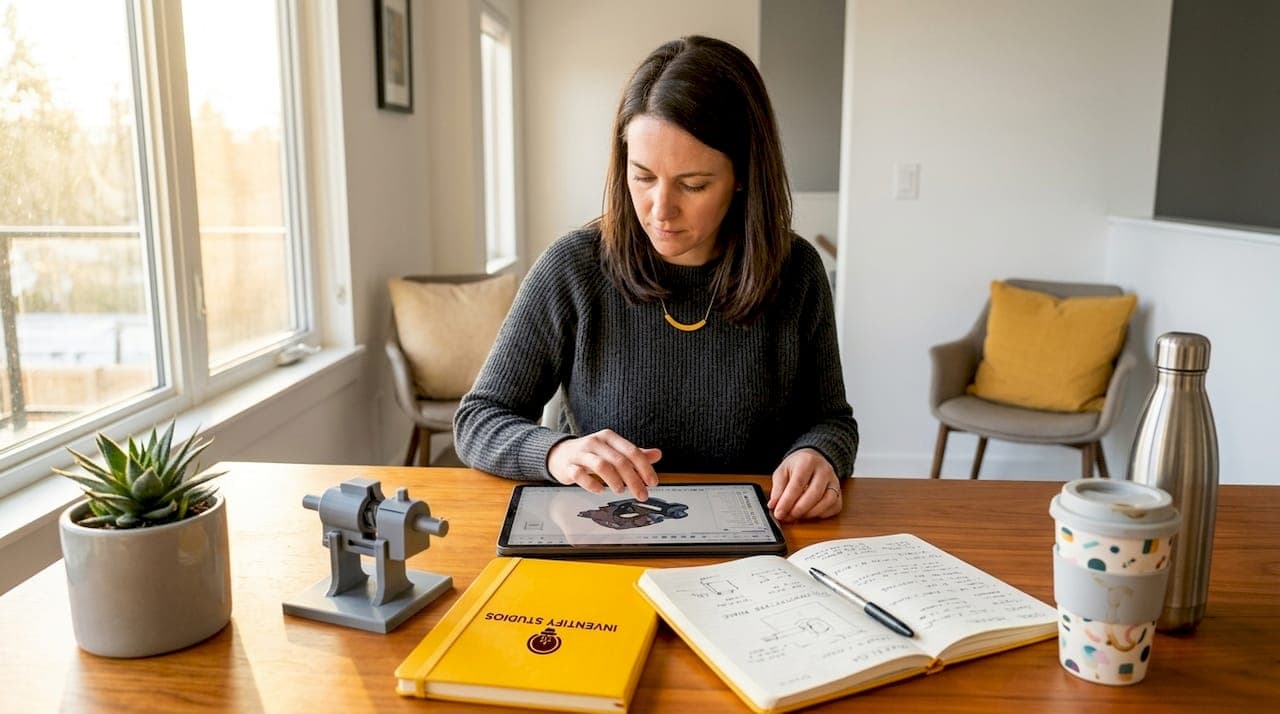
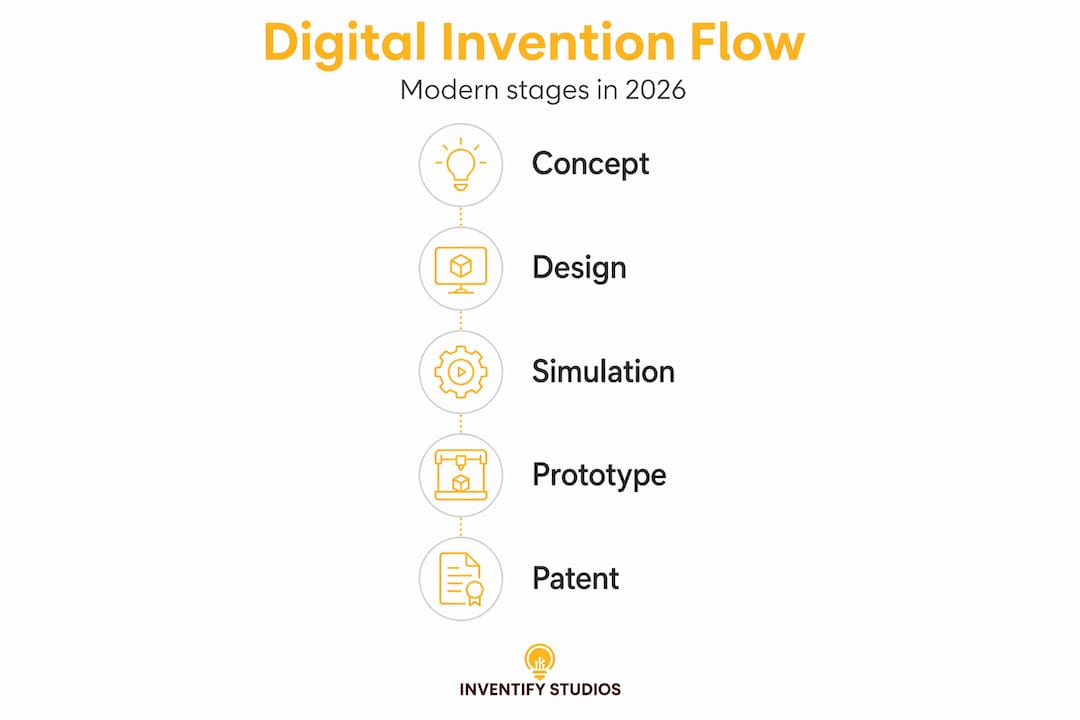
Most people picture inventors in garages, sketching ideas on napkins and soldering prototypes by hand. That picture is outdated. The role of digital tools in inventing has shifted every stage of the process, from the first sketch to the patent filing, into something faster, more precise, and far more accessible. Today, aspiring inventors can build 3D prototypes on a laptop, run simulations before touching a single physical component, and draft patent applications with AI assistance. This guide walks you through exactly how that works and what it means for your invention journey right now.
Table of Contents
- Key Takeaways
- The role of digital tools in inventing starts with design
- How AI is changing patent searches and drafts
- Why unified workflows reduce costly mistakes
- Challenges you will face with digital tools
- Practical steps to start using digital tools today
- My honest take on digital tools and invention
- Take your invention further with Inventifystudios
- FAQ
Key Takeaways
| Point | Details |
|---|---|
| Digital design replaces guesswork | CAD and simulation tools let you validate form, fit, and function before spending money on physical prototypes. |
| AI accelerates patent work | AI-driven workflows can search multiple patent databases simultaneously and generate editable patent drafts in one pass. |
| Format compliance affects filing costs | Using DOCX format for USPTO submissions avoids surcharge fees that apply to non-compliant file types. |
| Unified platforms reduce errors | Cloud-based platforms that connect design, simulation, and manufacturing data prevent version conflicts and rework. |
| Start small, build systematically | Choose one integrated platform, learn it well, and expand your digital toolset as your invention matures. |
The role of digital tools in inventing starts with design
Before AI, inventors commissioned expensive industrial designers or spent months learning CAD software that required dedicated workstations. That barrier is mostly gone. Today, platforms like Autodesk Fusion 360 combine CAD (computer-aided design), CAM (computer-aided manufacturing), CAE (computer-aided engineering), and PDM (product data management) into a single cloud environment.
What does that mean in practice? You design a part, immediately simulate how it behaves under stress, and then generate the toolpaths needed to manufacture it, all without exporting a file or switching applications. The unified cloud environment allows seamless transitions from concept to fabrication, which cuts the back-and-forth that traditionally consumed weeks of an inventor's time.
Here is why this matters specifically for aspiring inventors:
- Validation before fabrication. You can test form, fit, and function virtually before ordering a single physical part. A design that fails a stress simulation costs you nothing to fix. A design that fails after fabrication costs real money.
- Version control without chaos. Cloud-based PDM tracks every revision. You never lose a previous design iteration or accidentally work from an outdated file.
- Remote collaboration. If you want feedback from an engineer, a manufacturer, or a business partner, you share a link. No files attached to emails, no version confusion.
- Faster iteration cycles. Physical prototyping can take days or weeks per iteration. Digital prototyping collapses that to hours.
The invention development stages from concept to prototype have been compressed dramatically by these platforms. What once required a full engineering team is now accessible to a solo creator with a laptop and an internet connection.
Pro Tip: Start with the simulation features early, not just the design tools. Knowing how a part performs under real-world conditions at the concept stage saves you from expensive pivots later in the process.
How AI is changing patent searches and drafts
Patent work has historically been the most intimidating part of inventing. Prior art searches require combing through thousands of existing patents across multiple databases, and drafting a patent application involves precise legal language that most inventors are not trained in. Digital tools, specifically AI-driven workflows, are making both tasks significantly more manageable.

The mPAPA workflow is a concrete example. It searches five patent and paper databases, collects over 100 references, performs novelty analysis, and guides inventors through a nine-step AI workflow that produces editable patent drafts. That process mirrors what expert patent practitioners do manually, but it runs in a fraction of the time.
Here is how a structured AI-assisted patent workflow typically operates:
- Define your claims. Articulate what your invention does and what makes it distinct from prior art.
- Run a broad prior art retrieval. Use AI tools to pull a wide set of references from USPTO, Google Patents, and academic databases simultaneously.
- Filter and analyze for novelty. Separate retrieval from analysis as distinct steps so you can review what the AI surfaces before it draws conclusions.
- Generate a draft specification. Let the AI produce a first-pass patent draft with claims, abstract, and background sections you can edit.
- Verify format compliance before filing. This step is more consequential than most inventors realize.
On that last point: the USPTO's 2026 DOCX filing requirements mean that submitting your patent application in non-DOCX format now carries a surcharge fee, while filing in DOCX adds approximately 0.5 hours of processing time. Neither outcome is ideal, but the surcharge hits smaller inventors harder since the fee varies by applicant size. Choose your export format deliberately.
| Filing format | Time impact | Cost impact |
|---|---|---|
| DOCX (compliant) | ~0.5 hr additional processing | No surcharge fee |
| Non-DOCX | Standard processing | Surcharge fee applies |
There is also a subtler technical risk. Unrecognized fonts or incorrect DOCX formatting can cause outright rejection in the USPTO Patent Center. The practical advice from experienced patent practitioners: use Microsoft Word-compatible files and avoid exotic fonts or custom styles. Your AI tool may generate beautiful output, but if it cannot pass USPTO validation, none of that work matters.
Pro Tip: Always save your Electronic Acknowledgement Receipt after USPTO submission. This document is your legal proof of filing and includes timestamps and submission details that can matter enormously in a priority dispute.
For large-scale prior art review, tools like the USPTO CLI enable programmatic queries across over 50 endpoints, extracting abstracts, claims, and full texts at a scale that no human researcher could match manually. This kind of tool is more advanced, but knowing it exists tells you how far digital solutions for inventors have come.
Why unified workflows reduce costly mistakes
Here is a problem that sounds minor until it costs you months: you design a part in one tool, export it to a simulation program, run tests, make adjustments in the simulation, and then forget to update the original design file. Now your design file and your simulation file are out of sync. Your manufacturer builds from the design file. The product fails.
This scenario is surprisingly common when inventors use disconnected tools. The impact of technology on invention becomes clearest not in individual features, but in how well those features stay connected throughout the development process.
Unified platforms address this directly. When design, simulation, and manufacturing data all live in the same environment, changes propagate correctly. There is one source of truth, not three.
The operational benefits are concrete:
- Reduced rework. When integrated design-to-manufacturing workflows prevent drift between simulated designs and actual manufacturing parameters, you build the right thing the first time.
- Faster decision-making. When you can see design, simulation results, and cost estimates on one screen, you make better calls faster.
- Enterprise-grade traceability. PDM and PLM (product lifecycle management) systems create audit trails that matter if you need to defend your invention in a patent dispute or bring in an investor.
- Supply chain integration. As your invention moves toward production, integrated platforms let manufacturers work directly from your design data rather than translating files, which reduces interpretation errors.
For inventors who plan to license their inventions or attract investment, this rigor signals professionalism. Investors and licensees want to see that your design data is organized, version-controlled, and reproducible.
Challenges you will face with digital tools
Digital tools are genuinely powerful, but adopting them is not without friction. Being clear about the challenges helps you plan for them rather than be surprised by them.
The most common issues inventors run into include:
- Learning curves. CAD software, even modern cloud-based platforms, takes real time to learn. Plan for a few weeks of focused practice before you are productive.
- Licensing costs. Professional-grade tools often run on subscription models. Autodesk Fusion 360, for example, charges annually for full commercial use. Open-source alternatives like FreeCAD or OpenSCAD exist but typically have steeper learning curves and fewer integrated features.
- Data privacy with AI tools. When you use AI-assisted patent drafting tools, your invention details pass through third-party servers. Read the terms of service carefully. Some platforms retain data rights or use inputs to train future models.
- Over-reliance on automation. AI patent drafts are starting points, not finished filings. Treat every AI-generated claim as a first draft that needs your review and, ideally, a patent attorney's check before submission.
Pro Tip: Check whether your AI drafting tool exports in a format that meets USPTO validation requirements before you invest significant time building on it. Community resources for inventors are excellent places to find real-world feedback from other users about specific tool compatibility issues.
Continuous learning is not optional here. The AI tools already embedded in many software platforms are evolving faster than their documentation. Build a habit of checking release notes and engaging with user communities.
Practical steps to start using digital tools today
You do not need to master every platform at once. Start focused, build momentum, and expand.
- Assess your invention type. A mechanical device benefits most from CAD and simulation tools. A software-based invention needs different documentation and prior art strategies. Know what you are building before choosing your tools.
- Start with an integrated cloud platform. Choose one platform that combines design and simulation rather than learning two separate tools that do not talk to each other. This gives you early wins without creating the version-sync problems described above.
- Run a digital prototype before any physical build. Use simulation to stress-test your design virtually. Document what you learn. This record also supports your patent application narrative.
- Use AI for prior art research early. Do not wait until you are ready to file. Running a prior art search at the concept stage tells you whether your idea is novel before you invest further.
- Follow USPTO filing procedures precisely. Use DOCX format, use Microsoft Word-compatible fonts, and save every electronic acknowledgement receipt as proof of submission. Digital record-keeping is not administrative busywork. It is legal protection.
- Build your knowledge base continuously. Platforms like the Inventifystudios Knowledge Center offer structured resources that keep you current as tools evolve.
My honest take on digital tools and invention
I have watched a lot of aspiring inventors get stuck at the same place: they understand that digital tools exist, but they treat them as add-ons rather than the foundation of their process. They sketch ideas by hand, talk to a few people, and then try to figure out the "digital stuff" when they are ready to file. That sequencing is backwards.
What I have learned is that the real value of digital tools is not speed alone. It is the quality of decisions you make when you have data. A simulation that shows your design will fail under load does not just save fabrication costs. It changes what you decide to build. An AI prior art search done at week one changes whether you pursue an idea at all. These are not late-stage polish steps. They are early-stage thinking tools.
I have also seen inventors underestimate how much the patent filing side of digital tools actually matters. Most of the focus goes to prototyping, which is understandable. But format compliance errors, missing acknowledgement receipts, and poorly structured claims cost inventors real money and real time. The digital patent filing process deserves the same attention you give to design work.
My recommendation: treat learning one good integrated platform as a non-negotiable investment. Even 30 minutes a day over a month will make you a meaningfully more capable inventor. Start with the tools available to you now, run your first prototype digitally, and let the results guide your next step. The technology is ready. The question is whether you are willing to use it.
— Hua
Take your invention further with Inventifystudios
You now have a clear picture of the tools and workflows that give modern inventors a real advantage. The next step is applying that knowledge to your specific idea.

Inventifystudios is built for exactly this moment. The platform combines AI-generated 3D prototypes, patentability analysis, and patent-ready draft insights in one place, removing the cost barriers that traditionally kept aspiring inventors from moving forward. You can start your invention today with no prior technical experience required. If you want to manage your concept development with more structure, the invention detail tools give you a clear framework for tracking progress from idea to protected product concept. Inventifystudios makes the process accessible, whether you are working on your first idea or your tenth.
FAQ
What is the role of digital tools in inventing?
Digital tools support every stage of invention, from CAD-based prototyping and simulation to AI-driven patent searches and DOCX-compliant patent filings. They reduce cost, accelerate iteration, and improve the quality of decisions inventors make at each stage.
How does AI help with patent applications?
AI workflows like mPAPA search multiple patent databases simultaneously, analyze novelty, and produce editable patent drafts that mirror expert practitioner processes, reducing the time and expertise required to file.
What is the DOCX filing requirement for USPTO in 2026?
The USPTO now requires DOCX format for patent submissions. Non-DOCX formats incur a surcharge fee that varies by applicant size, making format compliance a direct cost consideration for inventors.
Can beginners use digital invention tools without engineering experience?
Yes. Cloud-based platforms are designed with accessible interfaces, and platforms like Inventifystudios provide AI-assisted prototyping and patent drafting specifically for creators who do not have formal engineering or legal training.
Why does digital record-keeping matter in patent filing?
The Electronic Acknowledgement Receipt generated after a USPTO submission serves as legal proof of filing with timestamps and details that can determine priority in disputes. Saving these records is a basic but critical practice.