
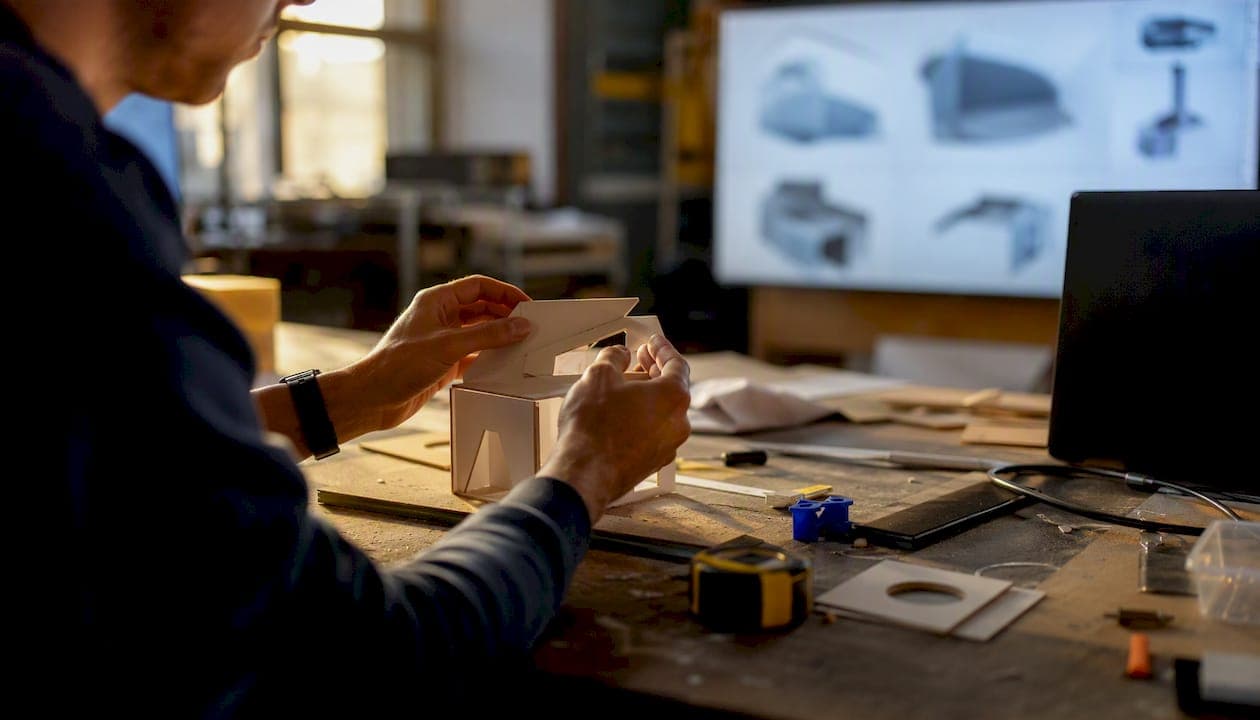
A demo persuades. A prototype tests. That's the whole distinction: a product demo is an external, polished tool built to win a customer, investor, or partner, while a prototype is an internal, often rough tool built to answer "will this work?" Demos exist to close deals, while prototypes exist to reduce risk before you build the real thing. Get this backwards, and you'll either pitch with an untested product or waste months polishing something nobody needed yet.
Key Takeaways
A demo persuades external audiences with polish while a prototype tests internal assumptions with working models, and confusing the two roles creates costly misalignment.
| Point | Details |
|---|---|
| Different jobs, different tools | Demos persuade; prototypes validate. Never use one to do the other's job. |
| Match fidelity to the question | Use paper or clickable prototypes for flow, coded prototypes for technical feasibility. |
| Demos drive B2B conversion | 64% of B2B buyers expect a demo or trial before purchasing. |
| Sequence hybrids carefully | Test with a prototype first, then build the demo on what you learned. |
| Speed up both with Inventify Studios | Inventify Studios generates 3D prototypes and patentability insight in one platform, cutting weeks off early validation. |
Table of Contents
- Product Demo vs Prototype Difference at a Glance
- What Is a Product Demo, Exactly?
- What Is a Prototype, and What Is It For?
- Comparing Product Demo and Prototype Across Every Axis
- When to Use a Demo vs a Prototype
- How to Build a Demo vs a Prototype: A Practical Checklist
- Choosing the Right Prototype Fidelity
- Where Demos and Prototypes Fit With MVPs and POCs
- Common Mistakes That Sink Demos and Prototypes
- Using an Invention Platform to Speed Up Prototyping and Validation
- What I'd Build First
- Get a Fast Prototype and Patent Insight Before You Pitch Anyone
- Frequently Asked Questions
- Sources
Product Demo vs Prototype Difference at a Glance
Here's the fastest way to sort the two:
- Audience: demos target investors and customers; prototypes target your team, testers, and engineers.
- Purpose: demos persuade; prototypes validate.
- Fidelity: demos are visually polished and scripted; prototypes range from a napkin sketch to working code.
- Interactivity: demos are often a guided, clickable mock with a fixed path; prototypes are meant to be poked, broken, and rebuilt.
- Cost and time: a solid demo can come together in days; a prototype's timeline depends entirely on the fidelity you choose.
- Success metric: demos are judged by conversion (demo-to-close rate); prototypes are judged by what you learned (bugs found, hypotheses confirmed or killed).
Pick a prototype when you don't yet know if the thing works. Pick a demo when you already know it works and need someone else to believe it. That distinction carries weight: Gartner's 2025 research, cited by Saber, found that roughly 64% of B2B buyers expect some form of demo or trial before they'll commit to a purchase.
What Is a Product Demo, Exactly?
A product demo is a controlled, external-facing presentation designed to show value, not to gather technical feedback. It's a sales tool first and a communication tool second. You're not asking "does this work?" You're asking "does this convince you?"
Demos show up in more shapes than most founders expect:
- Live sales demo: a rep walks a prospect through the product in real time, adjusting for their specific concerns.
- Recorded walkthrough: a pre-built video that scales to hundreds of prospects but sacrifices customization.
- Interactive sandbox: a self-serve trial environment, common in modern B2B SaaS sales.
- Trade-show presentation: a scripted, repeatable pitch for foot traffic, long used in retail and in-person marketing.
The formats vary by deal size. Saber's research notes that self-serve tours work for volume, while live, customized sessions close larger and more complex deals. Track demo-to-opportunity rate, demo-to-close rate, and completion rate (how many viewers finish a recorded demo) to know if yours is actually working.
A demo built purely to impress can secure interest without ever proving the product is usable. That gap is where founders get burned after the pitch succeeds and the product doesn't hold up.
What Is a Prototype, and What Is It For?
A prototype is a working model built to answer one question: can we build this, and does it behave the way we think it will? Prototypes are internally-facing tools for learning, not for selling. They're allowed to be ugly. They're allowed to be thrown away. The only job is to remove uncertainty.
Fidelity is a dial, not a fixed setting:
- Paper prototype: sketches on index cards to test layout and flow before any screen exists.
- Clickable prototype: linked screens in Figma or Framer that simulate navigation without real functionality.
- Functional/coded prototype: working code that tests actual performance, edge cases, and technical feasibility.
Miro's guidance on prototyping points out that prototypes can surface a large share of design problems when teams test early, well before production costs are locked in. Success here isn't a close rate. It's usability issues caught, technical feasibility confirmed, and hypotheses proven or killed before you spend real money.
Comparing Product Demo and Prototype Across Every Axis
Line the two up side by side and the differences stop being abstract.
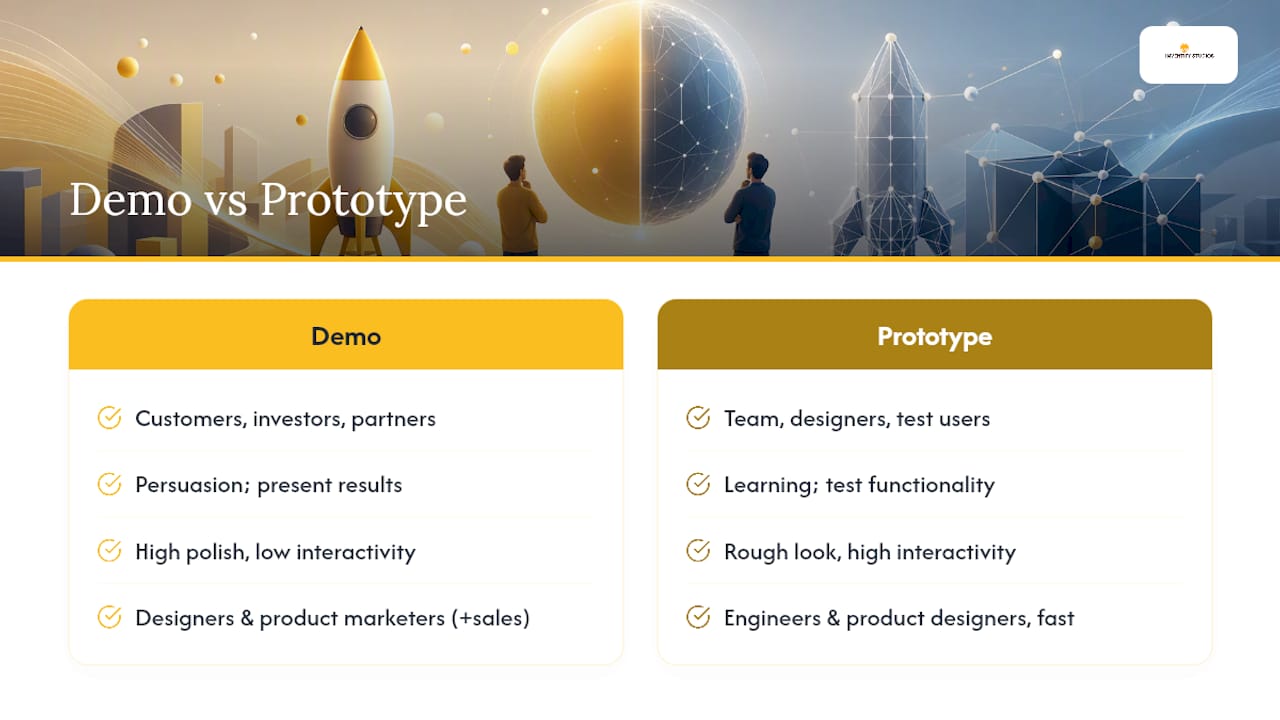
Primary audience. Demos face outward, toward customers, investors, and partners. Prototypes face inward, toward your team, your designers, and a small pool of test users.
Primary purpose. A demo's job is persuasion. A prototype's job is learning. One engineering discussion frames it plainly: prototypes let you test actual functionality with users, while demos present results and progress rather than a fully working product.
Fidelity and interactivity. Demos are usually high-polish and low-interactivity, showing a curated path rather than the full system. Prototypes flip that. They're often rough looking but need enough interactivity to answer the real question, whether that's "does the flow make sense" or "does the algorithm handle bad input."
Who builds it. Designers and product marketers typically build demos, sometimes with sales input. Engineers and product designers typically build prototypes, often solo and fast.
How success is measured. Demos succeed when they convert. Prototypes succeed when they teach you something true, even when that something is "this doesn't work yet."
Confuse the two and you get misalignment fast. Show a founder-built prototype at an investor pitch and its rough edges undercut confidence it never needed to lose. Worse, show a slick demo to real users during discovery and mistake their polite nodding for validated demand.
Pro Tip: A beautiful demo creates a false positive when used for user testing. People react to production values, not usability. If you need to know whether a real person can complete a task, put a prototype in front of them, not a demo.
When to Use a Demo vs a Prototype
Match the artifact to the job, not the calendar.
- Pre-seed pitch: use a demo, even a rough one, since investors are buying a vision, not code quality.
- Customer discovery: use a prototype, ideally clickable, so you can watch where real users hesitate or get lost.
- Enterprise sales cycle: use a live, customized demo tailored to that buyer's stack and workflow.
- Trade-show concept reveal: use a demo built for repeatable, scripted delivery to high foot traffic.
- Investor update after traction: a hybrid works here, a short demo backed by prototype-stage data on what you tested and learned.
Hybrid situations are common, and sequencing matters. Build the prototype first, run it past real users, then build the demo on top of what you learned. The hybrid warning is simple: never let a demo's polish stand in for a prototype's evidence. If you skip the testing step and go straight to persuasion, you're selling confidence you haven't earned yet.
How to Build a Demo vs a Prototype: A Practical Checklist
Building a prototype follows a different sequence than building a demo, and mixing the two steps is where timelines blow up.
Prototype checklist:
- Define the hypothesis you're testing, in one sentence.
- Choose the minimum fidelity that can answer it.
- Build fast, accepting rough edges.
- Test with real users or engineers.
- Iterate or kill the idea based on what you saw.
Demo checklist:
- Discover the specific buyer's use case and pain point.
- Script the story around that use case, not your feature list.
- Prepare polished assets, whether that's a recorded video or a live sandbox.
- Rehearse the pacing until it's tight.
- Measure conversion, not applause.
For tools, match the platform to the fidelity you need. Figma and InVision handle clickable prototypes and demo mockups well, with fast iteration and easy sharing. Framer pushes further into high-fidelity interactive prototypes that feel close to real code. Axure suits complex, logic-heavy prototypes where conditional flows matter. Webflow is often the right call when your "prototype" needs to become a live, functional demo site without a full engineering build. A clickable prototype in Figma might take a day or two; a coded, functional prototype can take weeks depending on scope, so match your tool choice to how much time you actually have.
Choosing the Right Prototype Fidelity
Not every question needs a working prototype. Pick fidelity based on what you're actually trying to learn.
- Paper/lo-fi: best for testing layout and information architecture, buildable in an afternoon.
- Wireframe/clickable: best for testing navigation and flow logic, ideal for early usability rounds.
- High-fidelity interactive: best for testing visual design and perceived quality with stakeholders.
- Functional/coded: best for testing performance, edge cases, and true technical feasibility.
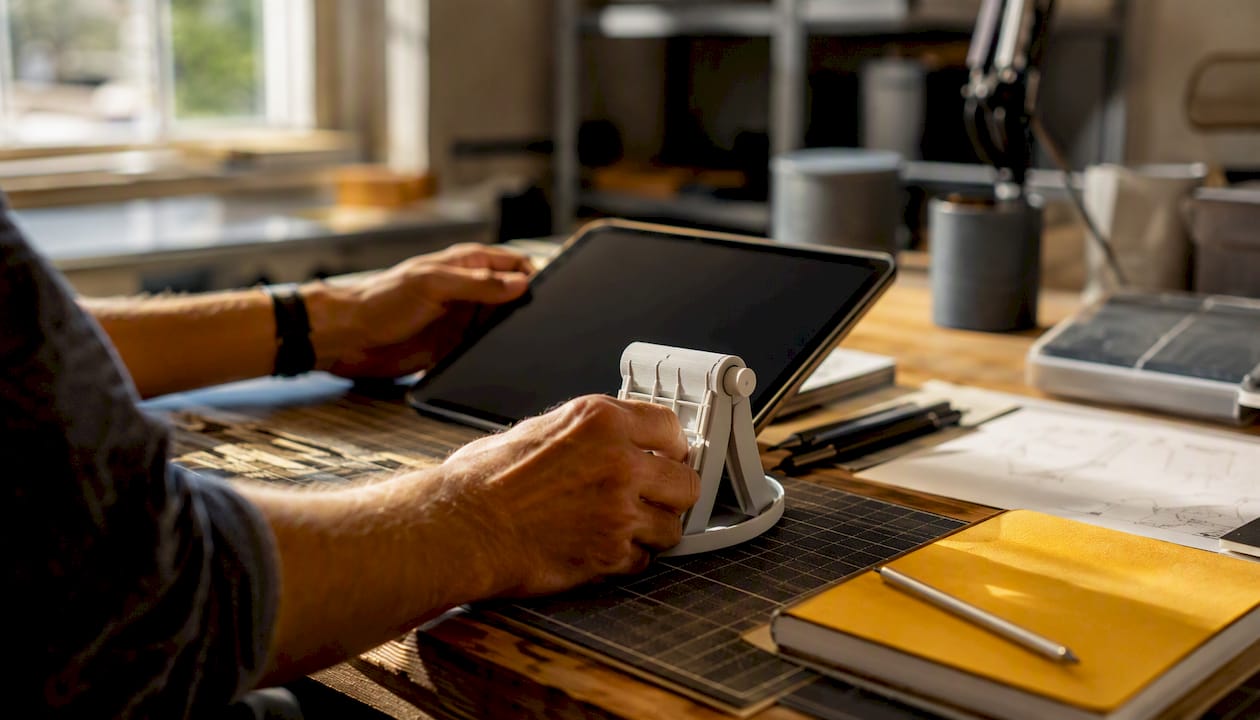
- Physical/3D: best for testing ergonomics, mechanical fit, or manufacturability for physical products.
The rule of thumb: match fidelity to the cost of being wrong. Cheap, fast fidelity for early questions; expensive, slow fidelity only once you've already ruled out the easy failures.
Where Demos and Prototypes Fit With MVPs and POCs
These three terms get used interchangeably, and that's a mistake. A prototype tests viability of a specific idea or flow. A proof-of-concept (POC) narrows in on one feasibility question, usually a technical one. An MVP is the market-ready minimal product you actually ship and sell.
| Stage | Typical Timeline | Rough Cost Bucket | Primary Question |
|---|---|---|---|
| Prototype | Days to a few weeks | Low, often DIY or low-cost tools | Does this work or flow correctly? |
| Proof-of-concept | One to a few weeks | Low to moderate | Is this technically feasible at all? |
| Demo | Days | Low to moderate, depending on polish | Will this persuade a specific audience? |
| MVP | Two to six months | Moderate to high | Will the market pay for this? |
A demo can sit inside an MVP launch, showcasing the finished minimal product to early customers. A prototype instead feeds into the MVP earlier, shaping what gets built in the first place. Treat these as estimates. Actual ranges shift heavily based on your product's complexity, whether it's hardware or software, and how many iterations you need before something is ready to show.
Common Mistakes That Sink Demos and Prototypes
The most expensive mistake is using a polished demo to validate real user understanding. Storytelling hides usability problems, and a great pitch doesn't mean the interaction actually works.
Two more show up constantly: overbuilding a prototype far past what the question required, and skipping hypothesis definition entirely, so nobody can say what the test was even supposed to prove.
Mitigation is simple. Write down the exact question before you build anything. Choose the minimum fidelity that can answer it. Instrument every test so you capture real data, not impressions. Keep sales assets and learning artifacts strictly separate, even if that means building two different things for the same idea.
Using an Invention Platform to Speed Up Prototyping and Validation
Building both artifacts from scratch eats weeks most founders don't have. Inventify Studios combines AI-powered 3D prototype generation with patentability analysis, so you're not choosing between speed and rigor.
A practical use case: generate a 3D prototype in minutes, run basic usability checks against your hypothesis, then pull patentability insight straight into your pitch deck. That sequence turns one platform session into both a learning artifact and a persuasion asset.
The gap between an idea and a testable prototype used to cost weeks and thousands of dollars in consulting fees. Compressing that gap is what actually changes how many inventors get a fair shot at validating their idea.
What I'd Build First
For a pre-seed pitch, I'd build the demo first, even a rough one, because investors fund conviction before code. For anything touching real users, I'd build the prototype first, always. The rule I'd give any founder: if you need to learn something true, build a prototype. If you need to close something specific, build a demo. Never let one substitute for the other.
Get a Fast Prototype and Patent Insight Before You Pitch Anyone
Most founders spend months and thousands of dollars on consultants just to get a rough 3D model and a vague sense of whether their idea is patentable. Inventify Studios compresses that into one platform session, at a fraction of the cost of traditional invention consulting.
With one 6-month access package, you get AI-generated 3D prototypes in minutes, a patentability analysis to flag risk before you invest more, and tailored drafting insight for a provisional patent. That means you walk into your next pitch, or your next round of user testing, with a real prototype and real patent clarity instead of a guess. Start by generating your invention's first prototype and see what a patentability check reveals before you spend another dollar on outside consultants.
Frequently Asked Questions
What is the core product demo vs prototype difference? A demo is an external, persuasive presentation meant to convince a customer or investor. A prototype is an internal, testable model meant to answer whether something works. One sells; the other learns.
Can a prototype also work as a demo? Sometimes, if it's high-fidelity and stable enough to withstand a live audience. But treat that as an exception, not a plan. A prototype built to answer a technical question rarely holds up under sales pressure.
How much does it cost to build each one? A basic clickable prototype in a tool like Figma can cost little beyond your own time. A coded, functional prototype or a highly customized demo can run into thousands of dollars depending on scope and who builds it.
Do I need a prototype before I can pitch investors? Not always. Many pre-seed pitches run on a demo alone, since investors are betting on the vision. But a prototype backing that demo makes the pitch far more credible once you have any real user data to show.
What's the biggest mistake founders make with prototypes? Skipping the hypothesis. Building a prototype without a clear question to answer wastes time and produces results nobody can act on.
Sources
- Demos, Prototypes, and MVPs - Jacob Kaplan-Moss
- What Is a Prototype? Definitions and Benefits of Prototyping
- Product demonstration - Wikipedia